Fire Alarm Beeping ??
Troubleshooting Guide & Solutions
Is Your Fire Alarm Beeping Nonstop? Find Out Why & How to Fix It!
A beeping fire alarm can be frustrating, but it’s often a warning sign of an issue that needs attention. Whether it’s a low battery, fire alarm system fault, or detector contamination, this troubleshooting guide will help you diagnose and stop your fire alarm from beeping quickly.
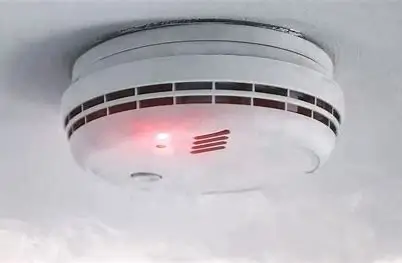
🔍 Common Reasons Your Fire Alarm is Beeping
1️⃣ Low Battery Warning 🔋
One of the most common reasons for a fire alarm beeping every 30-60 seconds is a low battery.
✅ Solution: Replace the battery and check if the beeping stops.
✅ Mains-powered fire alarm? Check the backup battery.
2️⃣ Fire Alarm System Fault ⚠️
If your fire alarm beeps multiple times in a row, it may indicate a system fault.
✅ Solution:
✔️ Inspect the fire alarm panel for error codes.
✔️ Try resetting the system to see if the fault clears.
3️⃣ Smoke, Dust, or Steam Contamination 🏠
Dirt and dust buildup can cause false alarms and fire alarm beeping issues.
✅ Solution:
✔️ Clean the smoke detector with compressed air or a vacuum.
✔️ Avoid installing fire alarms near kitchens or bathrooms where steam can trigger false alarms.
4️⃣ End-of-Life Warning – Time to Replace Your Alarm ⏳
Did you know that most smoke detectors last 8-10 years, while CO/heat detectors last 5-7 years?
✅ Solution:
✔️ If your fire alarm chirps every few minutes, check the manufacturing date.
✔️ Replace outdated alarms to ensure safety compliance.
5️⃣ Power Supply Issues (Hardwired Fire Alarm Systems) 🔌
A hardwired fire alarm beeping could indicate a power supply issue.
✅ Solution:
✔️ Check for a tripped circuit breaker.
✔️ Inspect for loose or damaged wiring.
✔️ Verify the backup battery is functional.
6️⃣ Fire Alarm Activation (Continuous Beeping) 🚨
A fire alarm that won’t stop beeping might be detecting a real hazard.
✅ Solution:
✔️ Check for smoke or fire in the area.
✔️ If no danger is present, reset the alarm system.
✔️ Ensure a manual call point hasn’t been activated accidentally.
🔧 How to Stop a Fire Alarm from Beeping
1️⃣ Check for Fire or Smoke First 🔥
Before silencing the alarm, always verify that no real emergency is occurring.
2️⃣ Replace the Battery 🔋
Changing the battery is often the quickest fix for a chirping or beeping fire alarm.
3️⃣ Reset the Fire Alarm System 🔄
Press and hold the reset button (varies by manufacturer).
For wired systems, turn off the power for 10-15 seconds, then restore it.
4️⃣ Clean the Smoke Detector 🧹
Use a vacuum or compressed air to remove dust from the fire alarm sensor.
5️⃣ Check the Fire Alarm Control Panel 💡
Review the panel for error messages or fault warnings.
If you’re unsure, consult the user manual or call a fire alarm technician.
🏆 Pro Tips: Prevent Fire Alarm Beeping Issues
✅ Test your fire alarm monthly to ensure proper functionality.
✅ Replace batteries every 6-12 months to avoid unexpected chirping.
✅ Clean smoke alarms regularly to prevent false alarms.
✅ Replace alarms after 8-10 years to maintain compliance with fire safety regulations.
🚨 Still Having Issues? Contact a Fire Alarm Specialist
If your fire alarm keeps beeping despite troubleshooting, it might require professional servicing. A fire and security expert can inspect, repair, or replace faulty components to keep your system in top condition.
📞 Need assistance? Contact PM Controls for expert fire alarm maintenance and support. 🔥🚒
🔥 Final Thoughts: Fire Alarm Beeping? Solve It Now!
A beeping fire alarm is annoying but necessary for safety. Whether it’s due to a low battery, fire alarm fault, or smoke contamination, this guide helps you fix fire alarm beeping issues quickly.
📌 Did this guide help? Share it with others to keep homes and businesses fire-safe! 🏠🔥